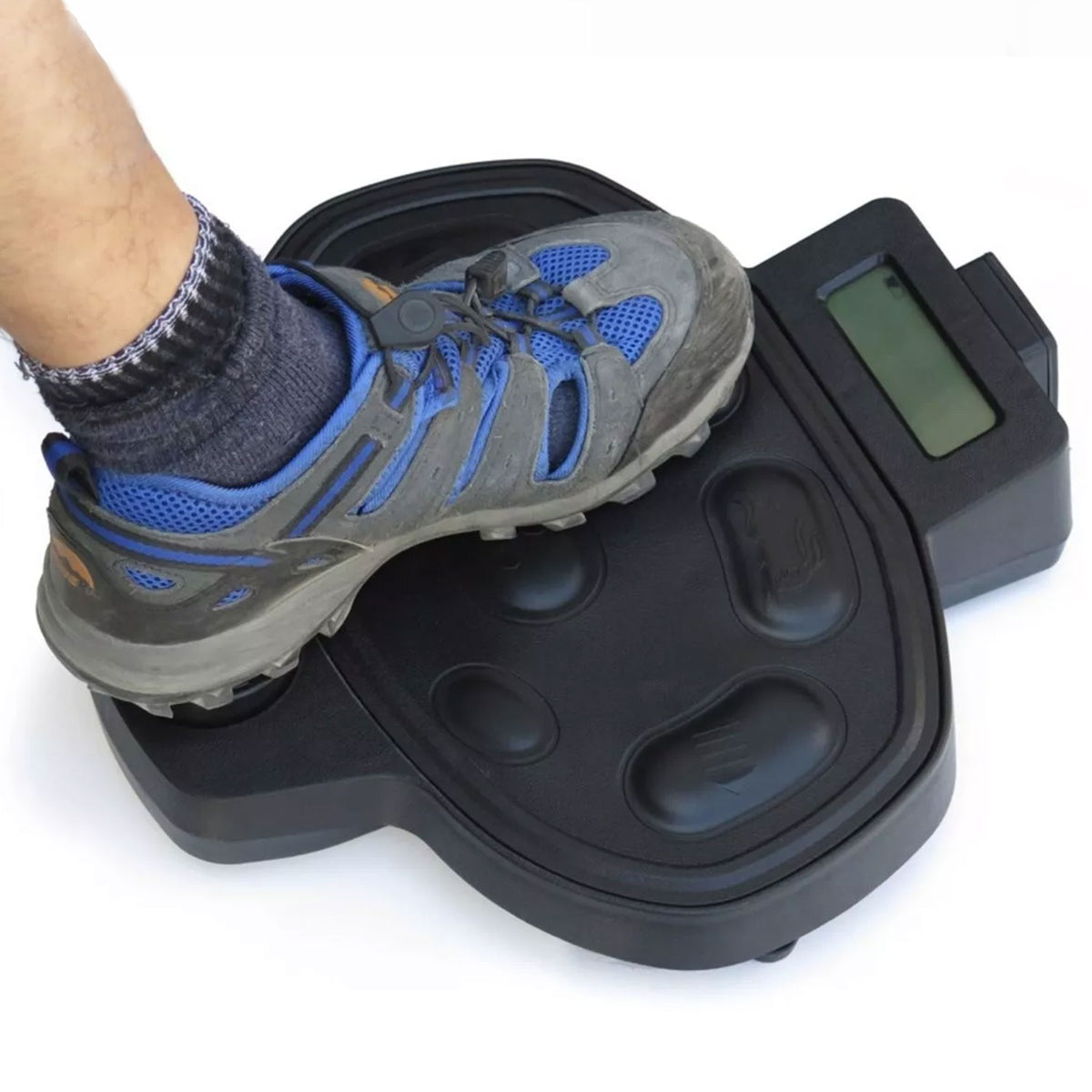
Haswing Wireless Foot Control for 50700 50718D 50706 50736 Trolling Motors
Haswing Wireless Foot Control for 50700 50718D 50706 50736 Trolling Motors
9 in stock
Couldn't load pickup availability
About this item
- The 2.4G wireless foot control is suitable for Haswing 50700-V18, 50718D-V08, 50706-V03 version trolling motors. Kindly double check the serial number before purchasing. The serial number for the bow mount trolling motor (50700/50718D) is located on the inside of the side door in the mounting position, for the transom trolling motor(50706) is located on the mounting bracket. If the trolling motor version is not 50700-V18, 50718D-V08, 50706-V03, please choose the 433HZ wired foot control.
- After replacing a new remote control, it is necessary to re-pair the original wireless foot control with trolling motor via the newly 2.4G remote control before continue to use the wireless foot control.
- Pairing the Foot Control to the Motor: The "Pairing" button on the wireless foot control is the same button as the "Turtle" (speed down) button. Ensure the 2.4G wireless remote is paired with the trolling motor before pairing the wireless foot control. To start pairing, press and hold the "magnifying glass" button below the power reader on the motor and the "Turtle" button on the wireless foot control at the same time for 3 seconds or until you hear 3 beeps to indicate a successful connection.
- Wireless Foot Control: The motor can be controlled from up to 32.8 feet away, whether on the boat or shoreside. Functions include turning the motor on/off, adjusting speed, and steering left/right. The wireless foot control switch is located at the top, next to the charging port. Turn on the wireless foot contorl and press the "Propeller" button to activate the motor (1 beep). Press the "Rabbit" button to increase speed. Adjust trolling speed by pressing the "Rabbit" or "Turtle" buttons (1 beep per adjustment). To stop the motor, press the "Propeller" button again.
- The wireless foot control is charged via the USB charging cable. The charging indicator light is red during charging and turns green when fully charged. If the light doesn’t appear, check the charging cable or use a mobile power bank.
Product Description

AQUOS 2.4G Version Wireless Foot Control for Haswing 50700, 50718D, 50706 Version Trolling Motors
This 2.4G wireless foot control is compatible with Haswing 50700-V18, 50718D-V08, and 50706-V03 version trolling motors. Kindly double check the serial number before purchasing.
The serial number for the bow mount trolling motor (50700/50718D) is located on the inside of the side door in the mounting position, for the transom trolling motor(50706) is located on the mounting bracket.
If the trolling motor version is not 50700-V18, 50718D-V08, 50706-V03, please choose the 433HZ wired foot control.


Wireless Foot Control Button
The wireless foot control switch is located at the top, next to the charging port.
Turn on the wireless foot contorl and press the "Propeller" button to activate the motor (1 beep).
Press the "Rabbit" button to increase speed. Adjust trolling speed by pressing the "Rabbit" or "Turtle" buttons (1 beep per adjustment).
To stop the motor, press the "Propeller" button again.
Product Details

Wireless foot control
Advanced wireless technology provides reliable remote control, even on large vessels or floating platforms.
The control display shows the function status when pressing a button. The motor can be controlled from up to 32.8 feet away, whether on the boat or shoreside.

Charged via the USB charging cable
The charging indicator light is red during charging and turns green when fully charged. If the light doesn’t appear, check the charging cable or use a mobile power bank.
It’s recommended to use a 5V 500mA charger (charger not included).

Multi-Function Control
Support 10 gear speed adjustment and 360° rotation to ensure boats can travel smoothly in different waters.
Functions include turning the motor on/off, adjusting speed, and steering left/right.